
Handling Iterables: Five Python Tricks You Wish You Knew Earlier

When dealing with data in Python, a common theme of such encounters is iterables. Most data is saved in iterables such as lists, tuples, etc. It is therefore extremely important to learn some tips and tricks for handling iterables. In this article, we will explore some cool Python functions and tips that you can use to handle iterables. Here is what we will explore:
The zip() function: Combining multiple iterables element-wise.
The zip_longest() function: Handling iterables of different lengths.
The enumerate() function: Tracking indices while iterating.
List comprehensions: Creating new lists in a concise and readable manner.
Set comprehension: dealing with duplicates in text
These tips and tricks will help you write Python code like a pro. Let's get started
1. Iterating Over Multiple Objects Using Zip Function
One thing that I love about Python is that there are always multiple ways to tackle a task. If you have multiple iterables and you want to iterate over them at the same time, there are several ways that you can do it. One of those ways is using the zip() function. The zip() function combines multiple iterables element-wise and returns an iterator of tuples. You can then unpack these tuples while iterating. Let's see an example. We have two lists: one for names and the other for scores. We want to iterate over the two lists. Here is how we do it with the zip() function:
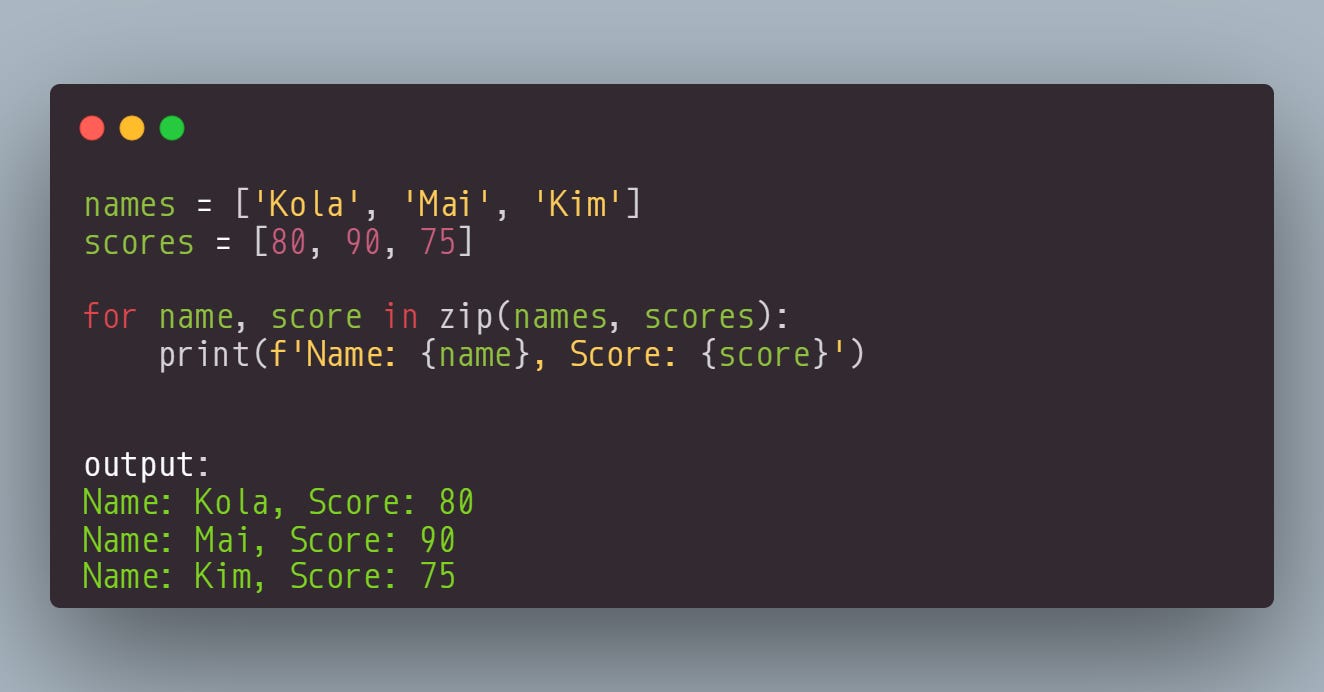
We have successfully iterated over the two lists using the zip() function. Now, the zip() function is not perfect. If the iterables have different lengths, it will stop when the shortest iterable is exhausted. In the example below, the scores list is longer than the names lists, so the zip() function stops when the names list is exhausted. See below:
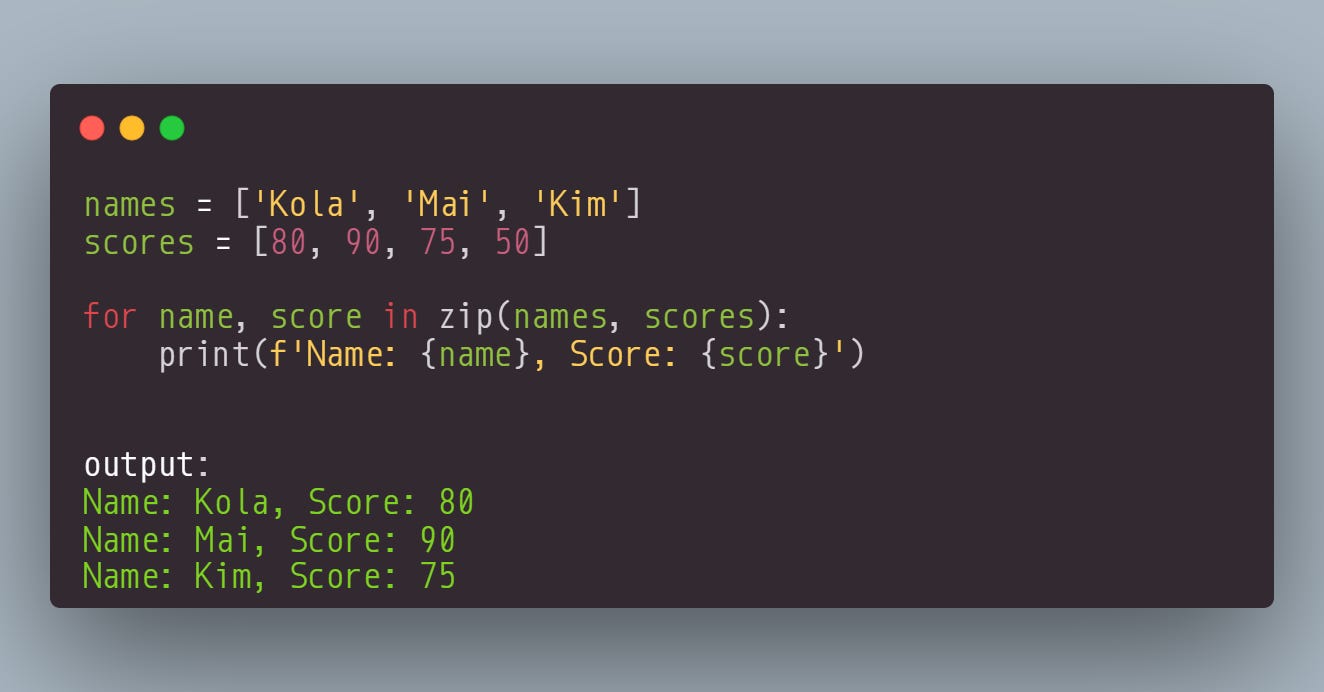
You can see here that the 50 in the scores list has been left out of the output. To overcome this limitation, we can use another cool Python function from the itertools library. This function is called zip_longest. Unlike the zip() function that stops when the shortest iterable is exhausted, the zip_longest will only stop if the longest iterable is exhausted. It fills in the missing values with a specified fill value (the default is None). In the example below, we want the missing values to be filled with "N/A." See below:
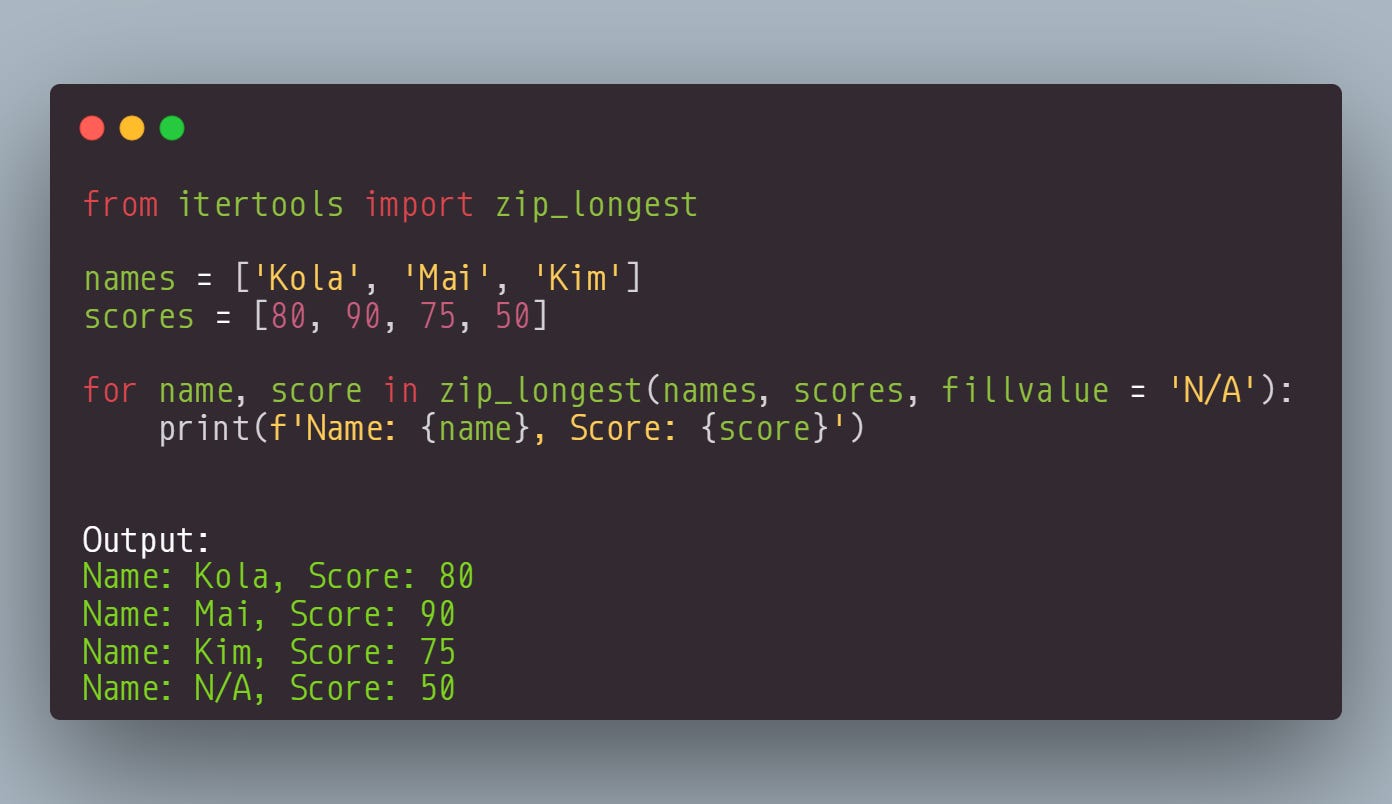
You can see that the missing value slot for the name list has been filled with the "N/A" value. This is a great way to handle iterables with different lengths.
2. Using Enumerate and Zip_longest() Function
You know what is even great? Combining the zip_longest() function with the : function. The enumerate() function iterates over an iterable, keeping track of the value and its index. By default, this function starts at zero, but we can also set the start index using the start parameter.
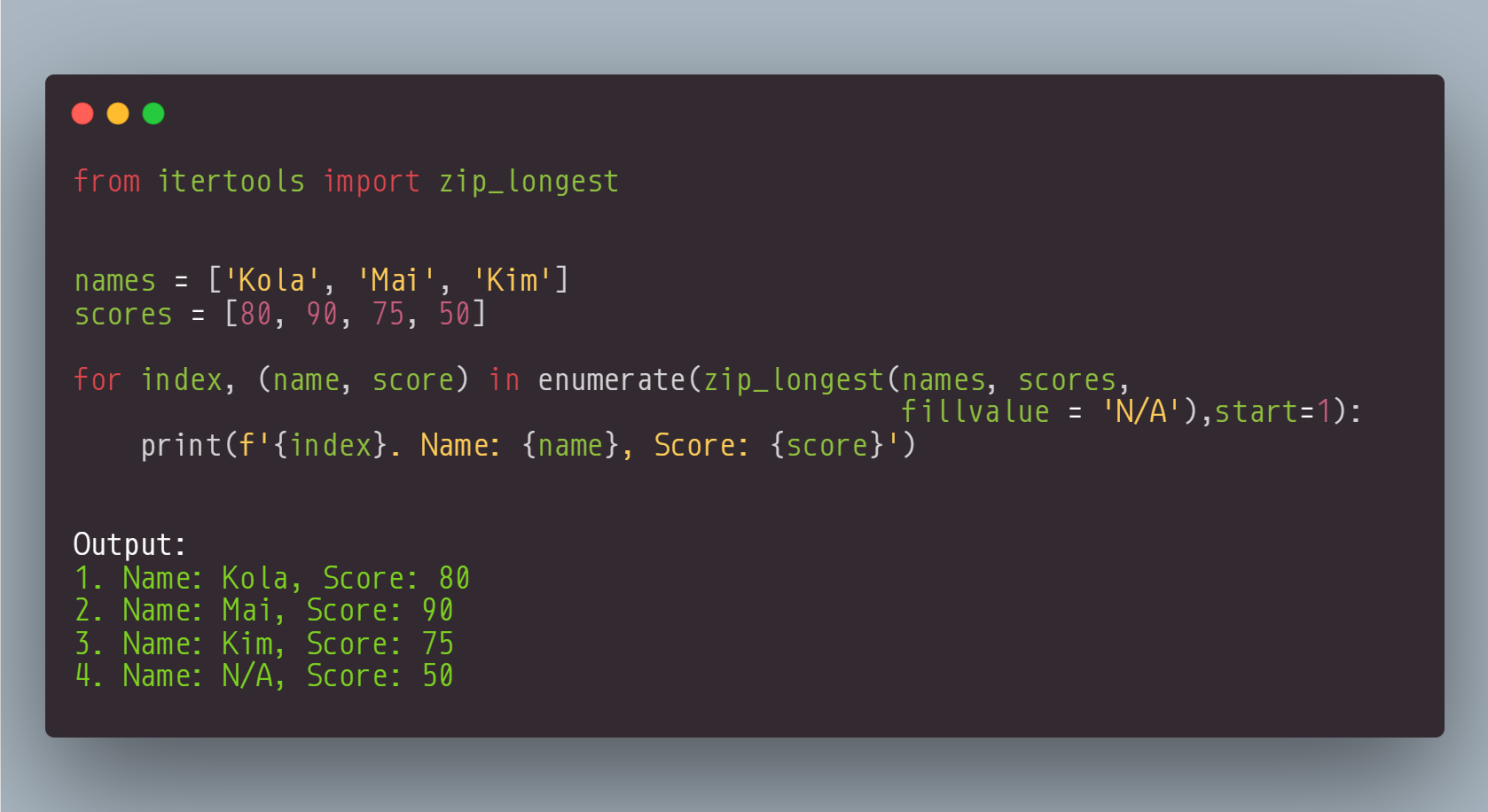
Look, we have not only iterated over the two lists; we have also added the index to the output. That is the power of combining functions.
Build the Confidence to Tackle Data Analysis Projects in 2024 (20% OFF)
The main purpose of this book is to ensure that you develop data analysis skills with Python by tackling challenges. By the end, you should be confident enough to take on any data analysis project with Python. Start your journey with "50 Days of Data Analysis with Python: The Ultimate Challenge Book for Beginners."
3. Filter Items with Specific Condition
Did you know that you can use the enumerate() function to filter an iterable based on a given condition? The enumerate function can be used in conjunction with a list comprehension or generator expression to filter an iterable based on a given condition. Let's say you want to return only the indices of names with a length greater than 3. We can use the enumerate() function with list comprehension to filter the list. Here is the code below:
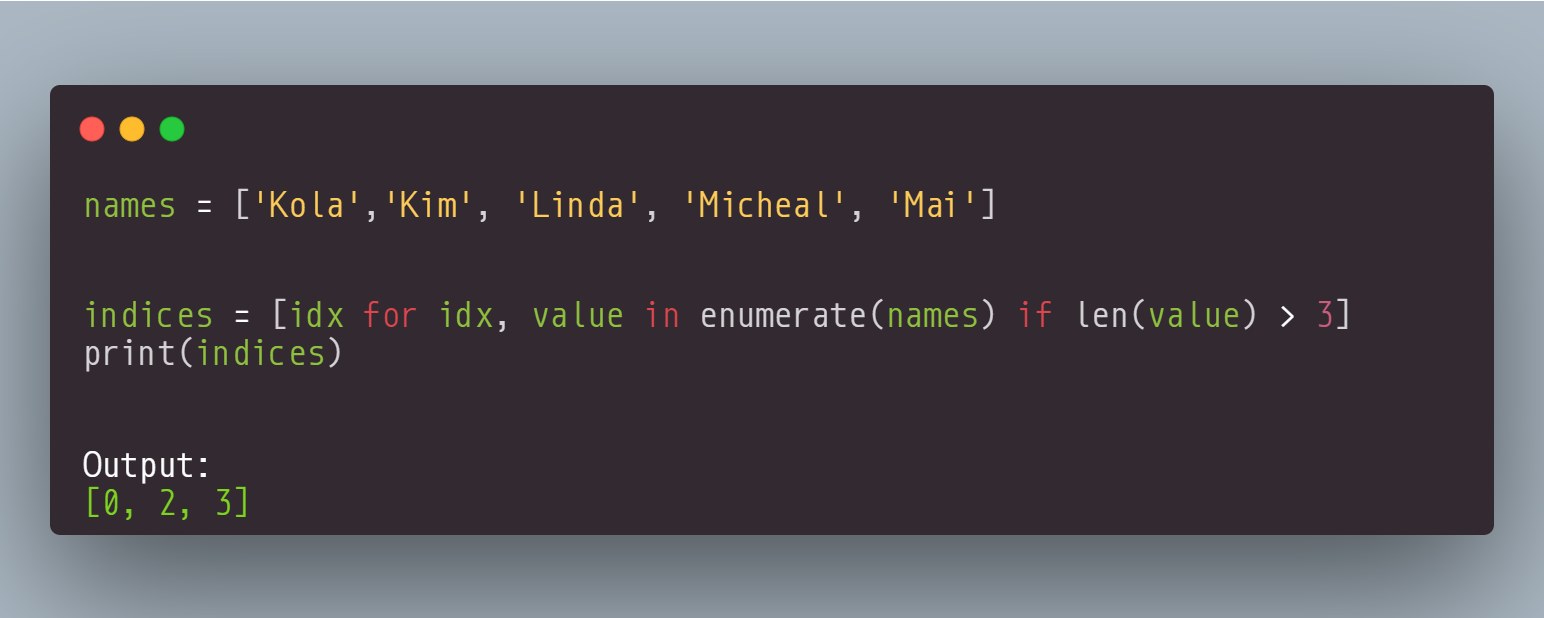
In this example, the enumerate function returns a tuple of the index and the corresponding value for each element in the numbers list. The list comprehension filters the elements based on the length (len(value) > 3). This returns a list of indices of all the names in the list that have a length greater than 3.
Using the enumerate() function with list comprehension can be useful for tasks such as filtering data based on indices, performing conditional operations, or creating new lists with specific elements.
4. Flatten a Nested list with a Recursive Function
There are several methods that you can use in Python to flatten nested lists. However, some approaches can have limitations, such as flattening only 2-dimensional lists. For example, you can use the sum() function to flatten a 2-dimensional list, but this approach will not work with deeply nested lists. Here is an example:
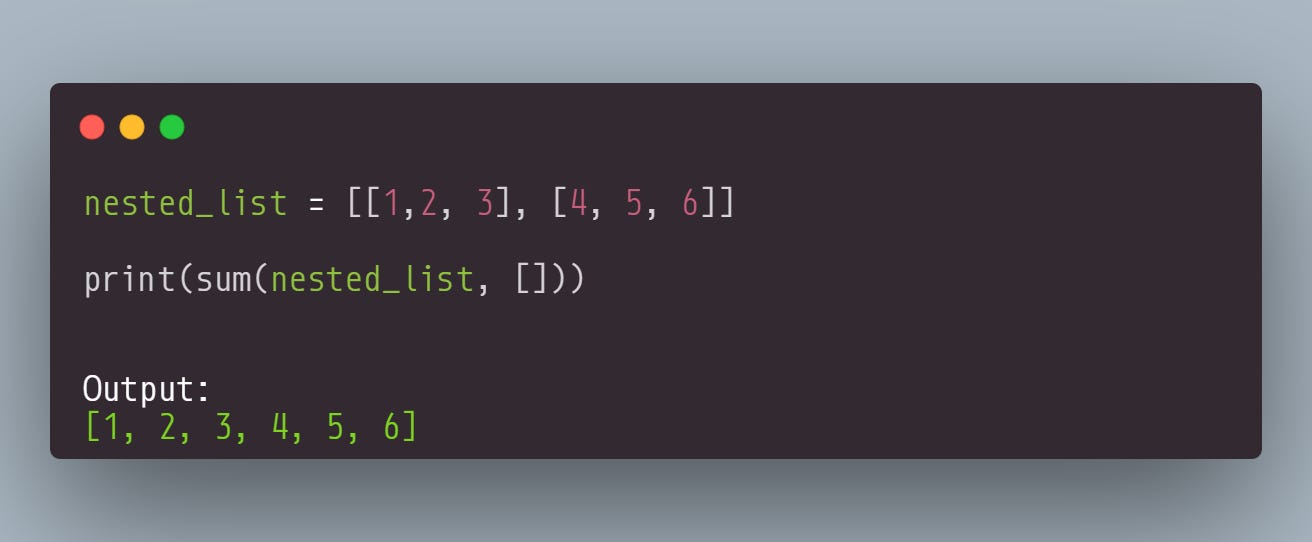
Look, we have flattened a 2-dimensional list using the sum() function successfully. But what happens when we have a deeply nested list? Can this approach work? Let's see another example:
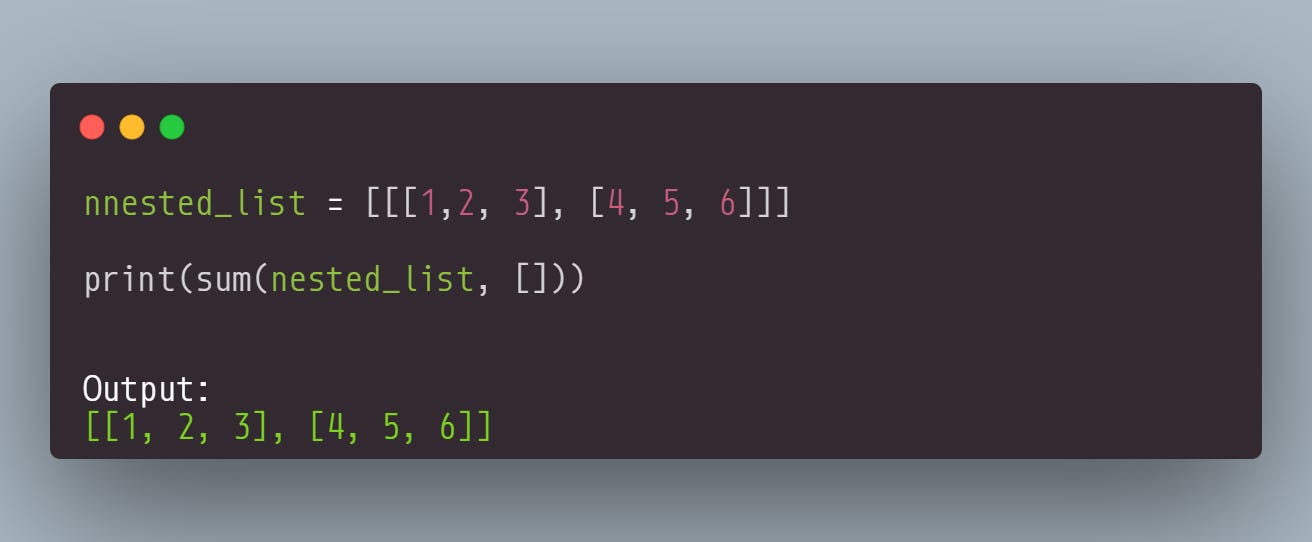
You can see here that the approach has not worked with a deeply nested function. To get around this, one approach that you can take is to use a recursive function. This is actually the most powerful tool for flattening nested lists because it will flatten lists of arbitrary depth. Let's see an example:
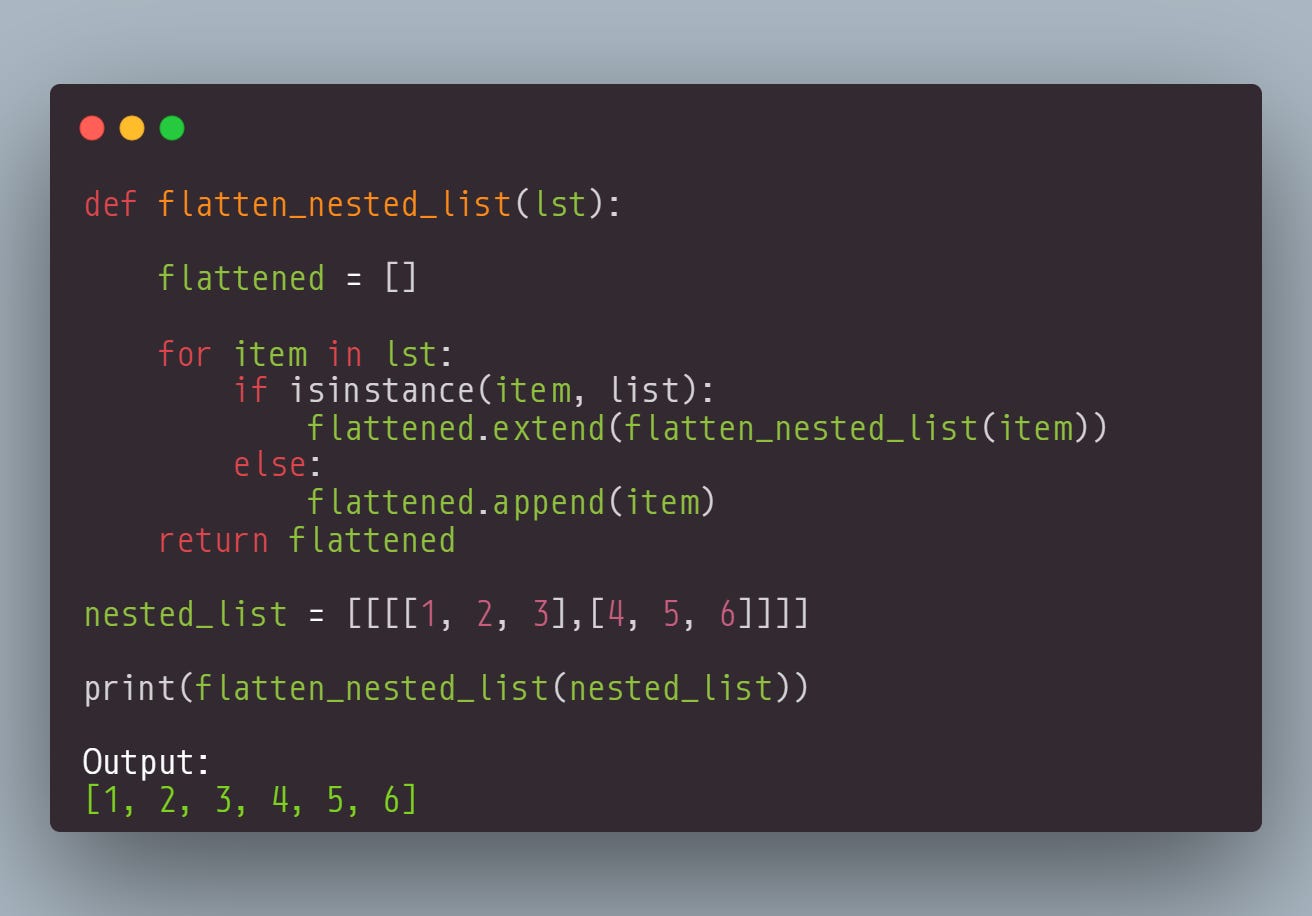
This function recursively calls itself for each element of the list. This allows it to handle nested lists of any depth. You can see here that a deeply nested list has been flattened. If you have a deeply nested list to process, you now know a cool tool to use: the recursive function.
5. Removing Duplicates Using Set Comprehension
Sets do not allow duplicates. This makes them perfect for tasks that require removing duplicates. If you have a string and want to know how many unique words are there, you can use set comprehension with strip() and split() methods. Here is an example:
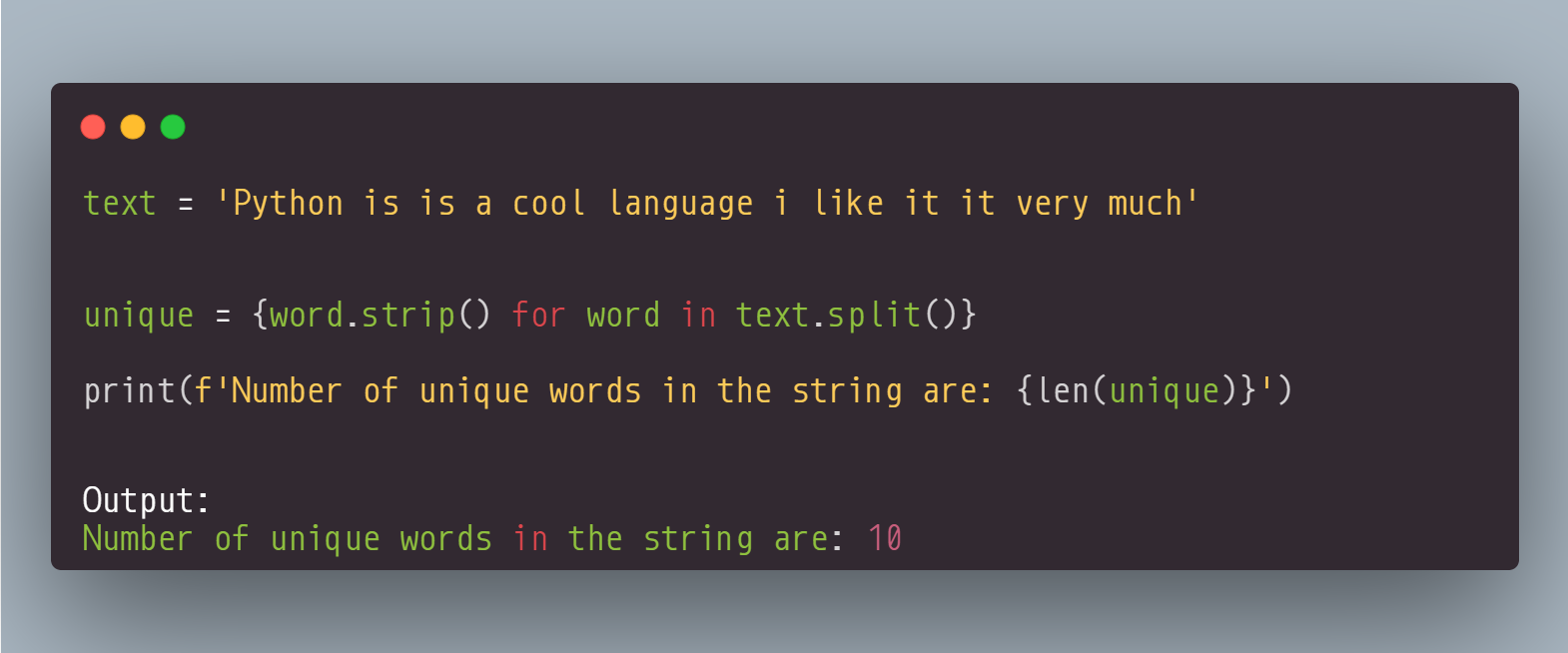
In the text, 'Python is is a cool language i like it it very much', the words "is" and "it" appear twice, but since a set can only have unique values, the resulting set has only one instance of each word. We use the len() function to get the number of unique values in the set. So set comprehension, when combined with string methods, provides a concise and efficient solution for handling duplicates in texts.
Final Thoughts
In this article, we've explored several powerful techniques for working with iterables in Python. Cool tips, right?. Remember, the zip() function, zip_longest() function, enumerate() function, list comprehensions, and generator expressions are just a few of the many tools available for working with iterables in Python.
For more in-depth exploration and additional tips, check out the book "Python Tips and Tricks: A Collection of 100 Basic & Intermediate Tips & Tricks." I have to warn you that there are many more tricks in the book that will wow you. Thanks for reading.